Register for an Annual Parking Permit
- Access the University of Indianapolis (UIndy) Parking Portal. Use any of these browsers: Chrome, Internet Explorer, MS Edge, Safari or Firefox
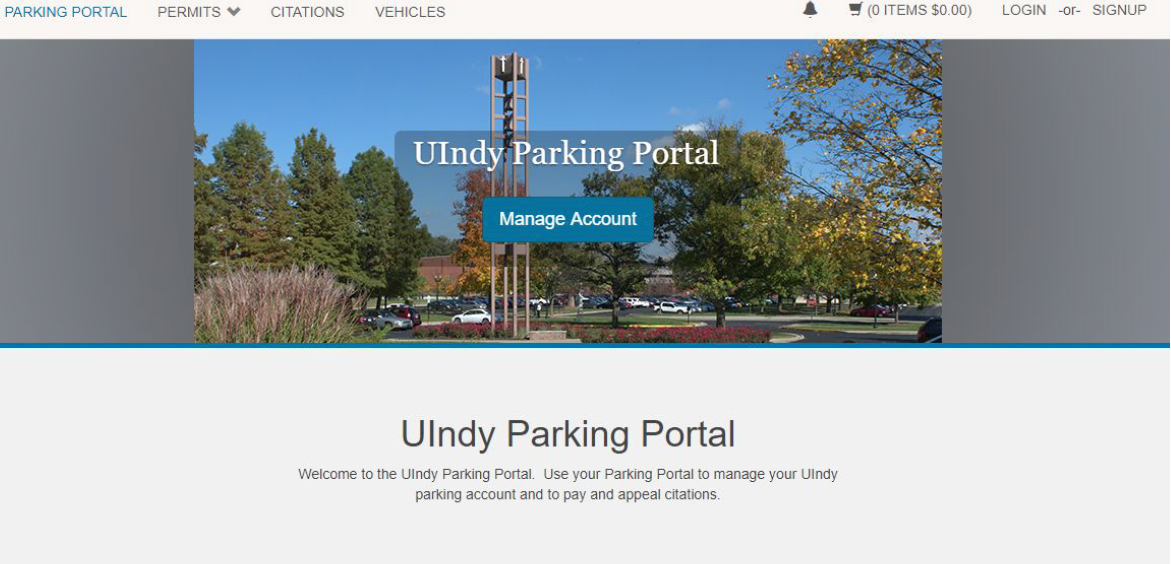
- Click the LOGIN button located on the top right corner of the screen.
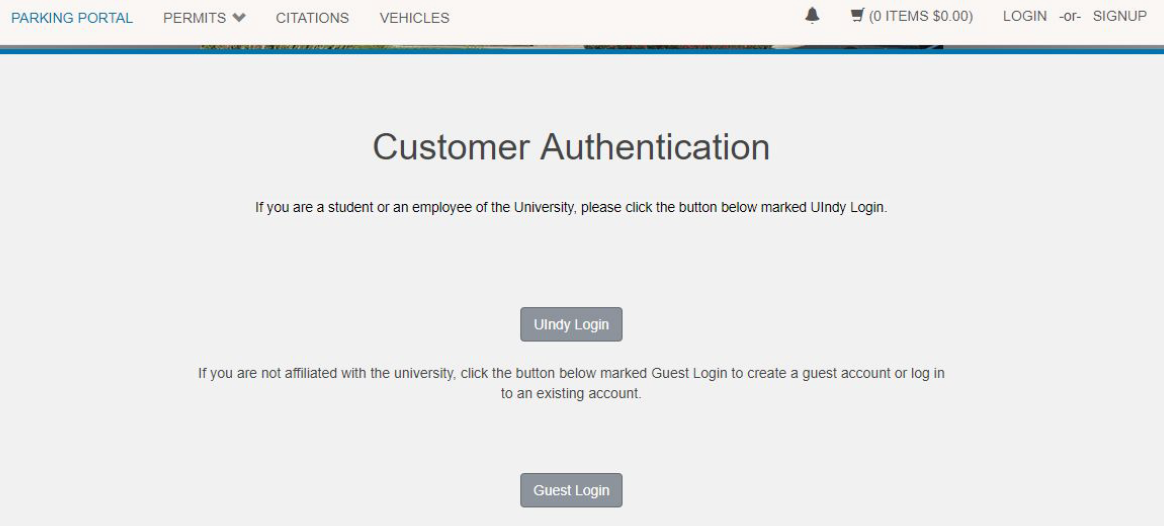
- UIndy employees and students will click on the UIndy Login button and use their UIndy username and password to access their account.
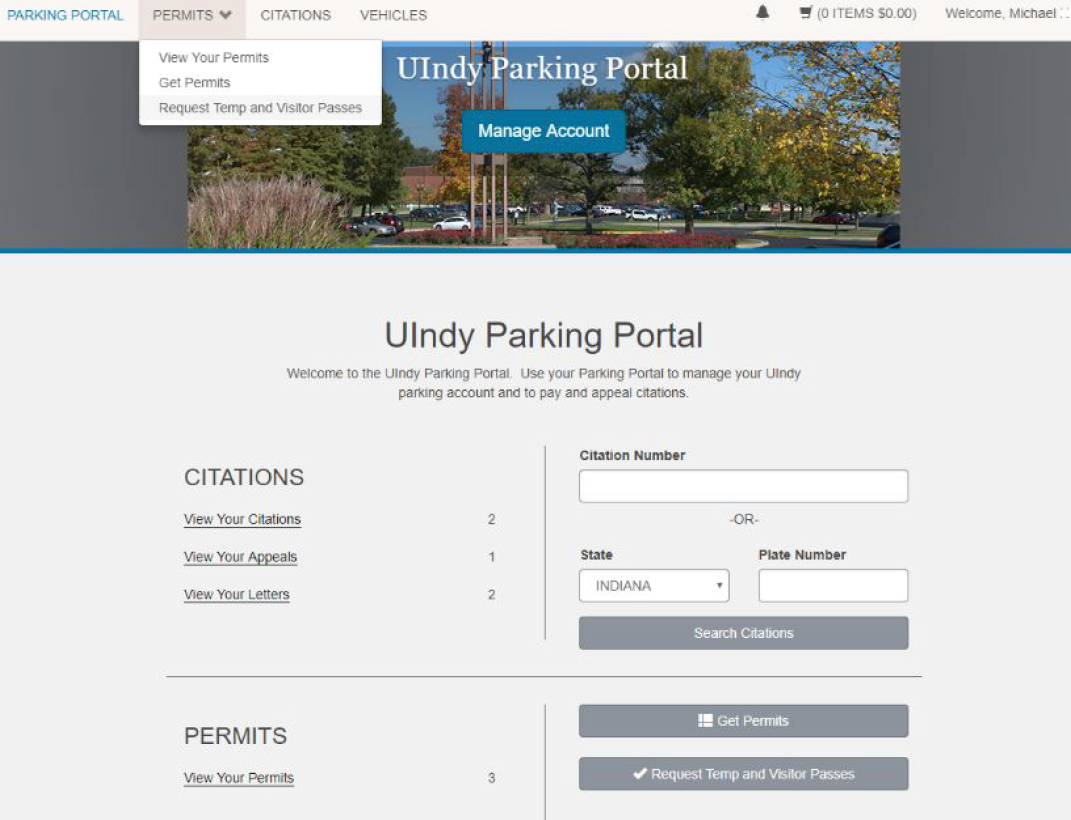
- Click on Permits > Get Permits on the top left side of the screen.
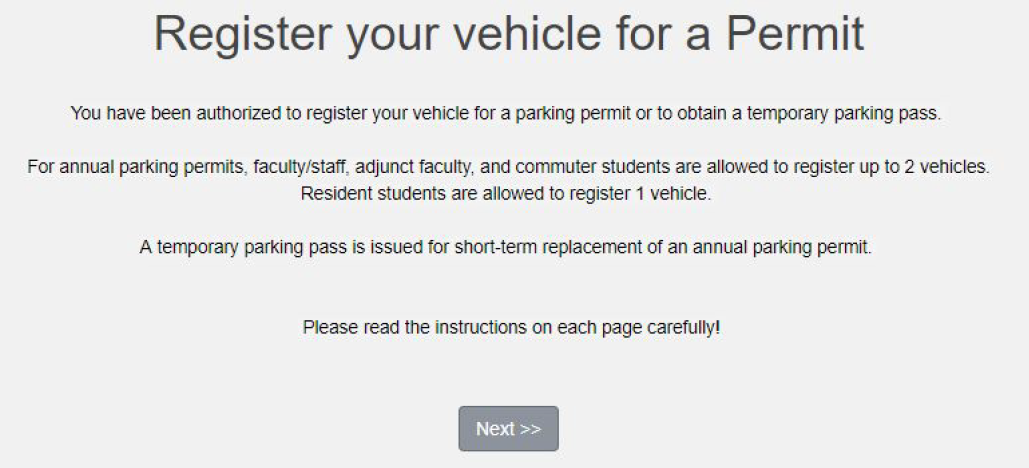
- Click Next.
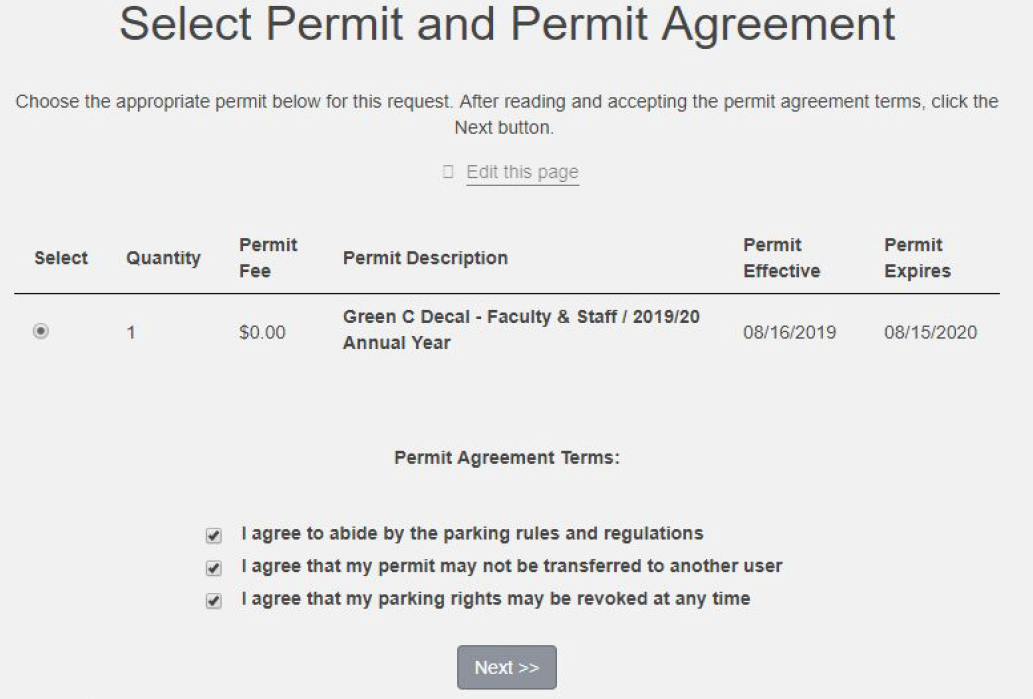
- Select the permit for the current academic Agree to the Permit Agreement Terms. Click Next.
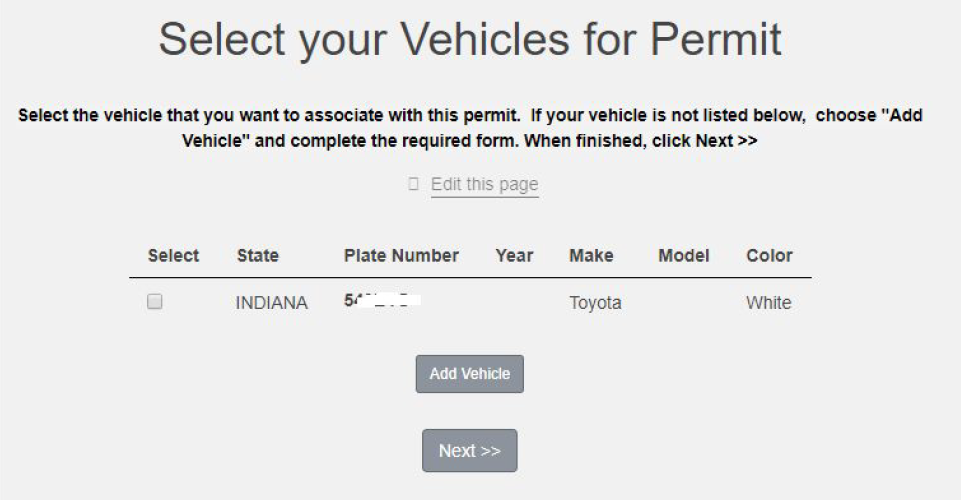
- Select the vehicle that you want to associate with this permit. (Note: If you are allowed to permit a 2nd vehicle you will be required to repeat this process after completion of the registration of your first vehicle.) If your vehicle is not listed, choose “Add Vehicle” and complete the required form. When finished, click Next.
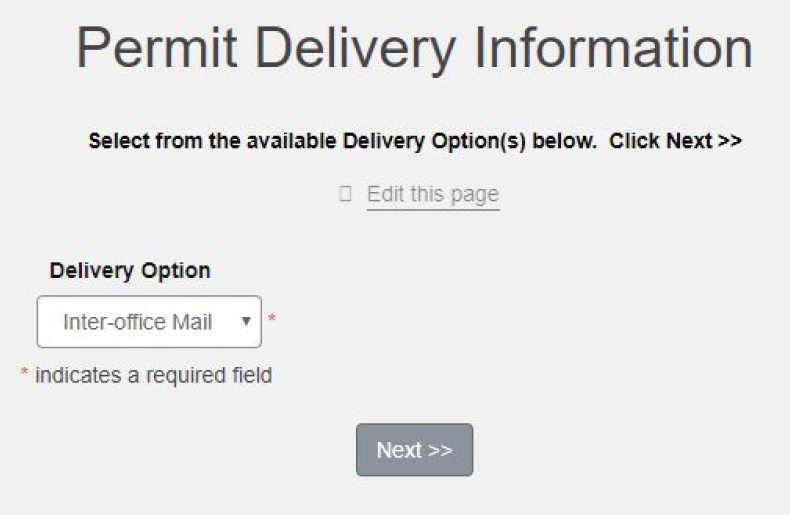
- Select your Delivery (Note: If you are full-time staff or faculty, you will be restricted to inter-office mail as your default Delivery Option.) Click Next.
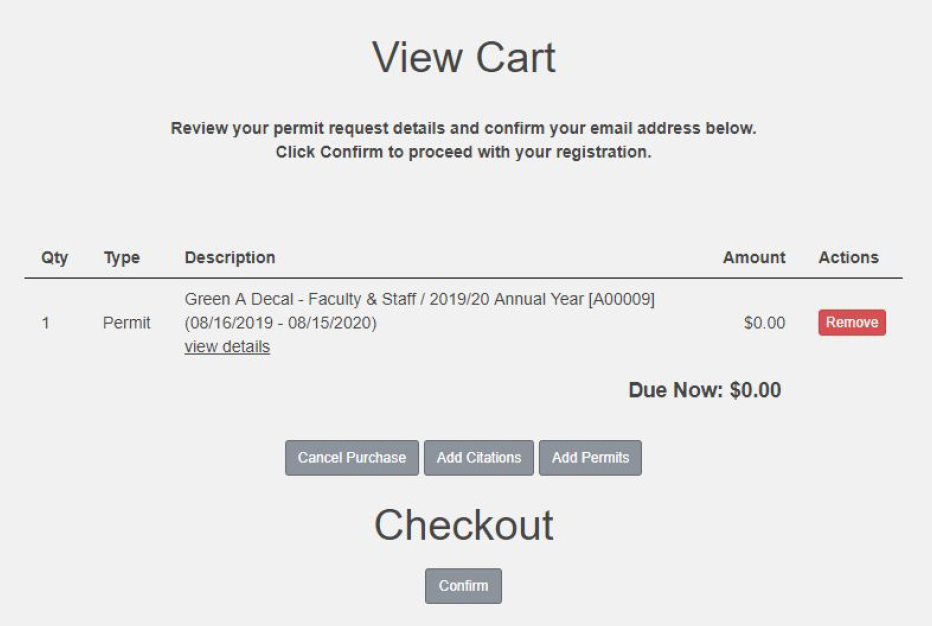
- If you are allowed to register for a second permit, click on the Add Permits button and repeat registration process for your second Confirm the contents of your Cart and click Confirm.
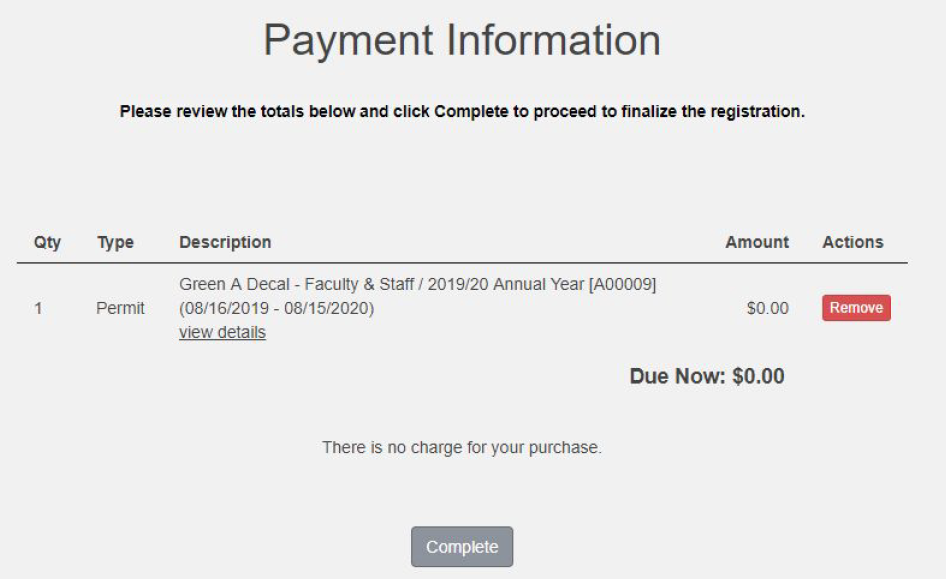
- Click Complete to process your transaction.
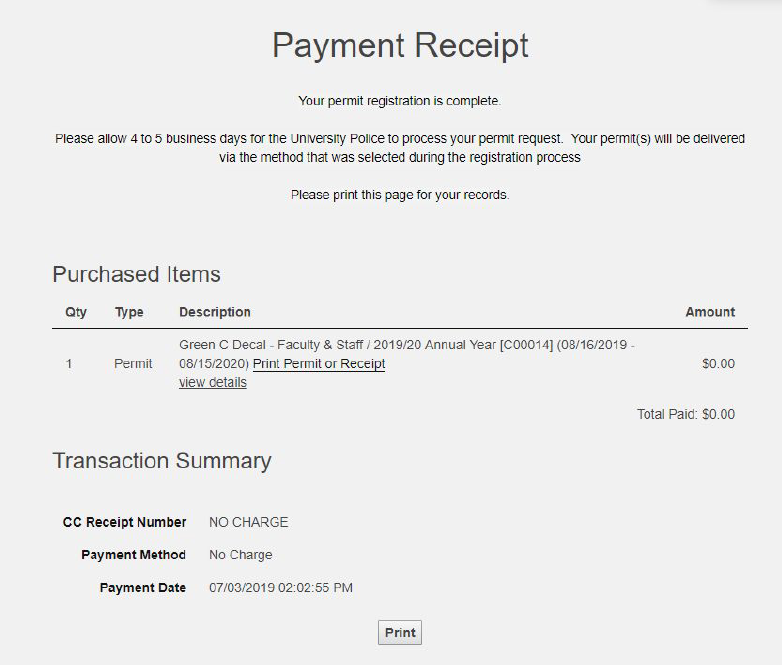
- The permit registration process is You can click “Print” to receive a copy of your receipt or click on your name (located on the top right corner of the screen) and then click on “Logout” to end your session.
- You will also receive an email confirming that your request has been received by the UIndy Police Your permit(s) will be processed for delivery within 5 business days of completing your registration.
Questions? Email uindyparking@uindy.edu or call 317-788-3386.