How to Adjust Credit Hours for a Variable Credit Class
To adjust the credit hours taken on a variable credit class please follow the instructions below:
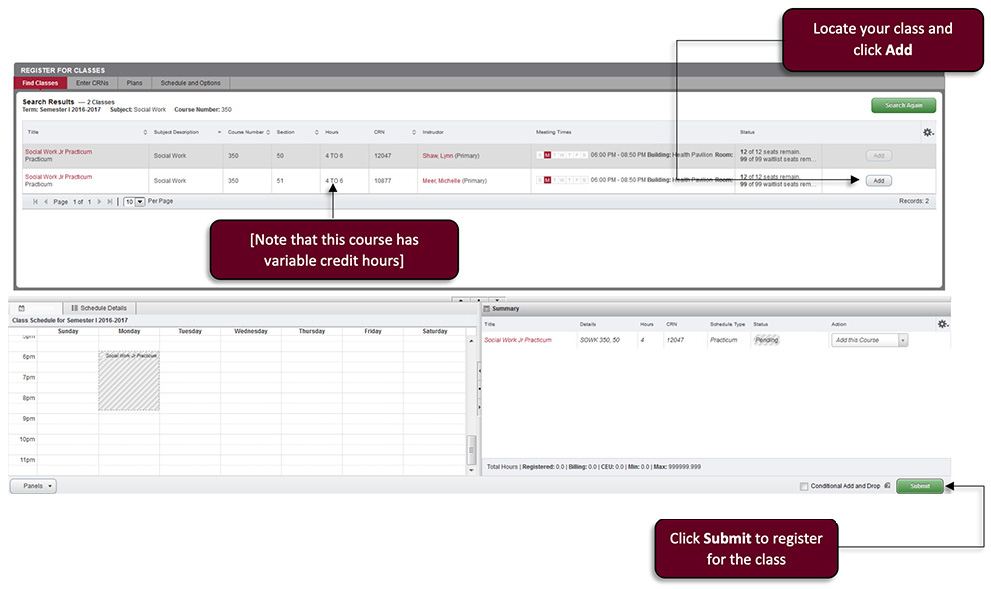
- Login and register for the class (Note: if you have already registered for the class skip to step #2)
- Locate your classes and click Add.
- Click Submit to register for classes.
- Tip: Credit hour changes cannot be changed during the Plan Ahead process. Variable credit classes can still be added to plans but the credit hour adjustment must be made at the time of registration.
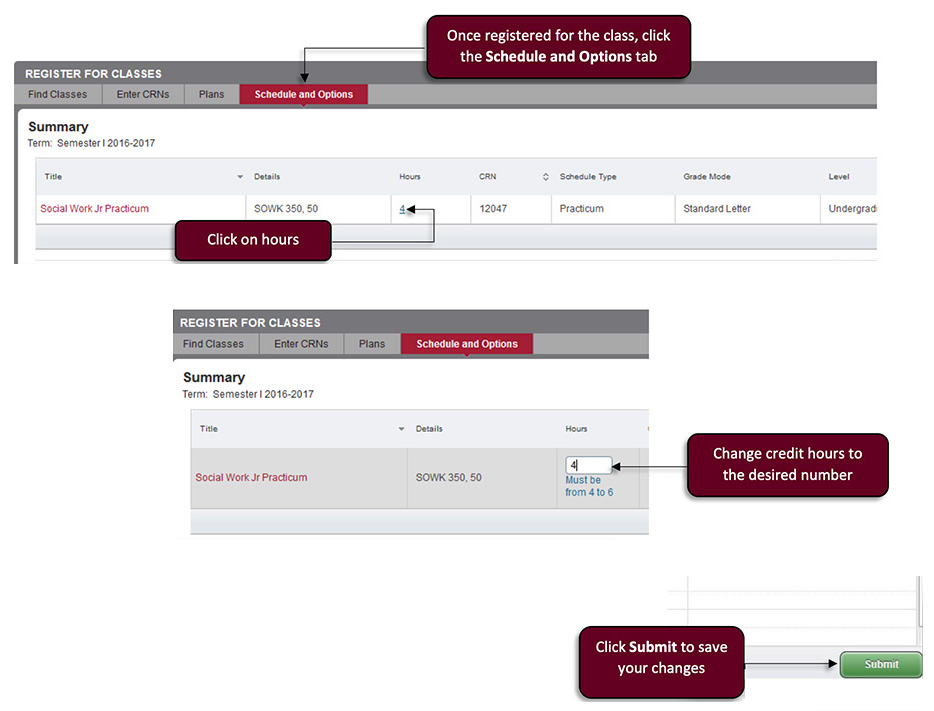
- Change the course credit hours.
- Once registered for the class, click the Schedule and Options tab
- Click on hours
- Change credit hours to the desired number
- Click Submit to save your changes
Registrar
- Office of the Registrar
- Academic Petitions
- Drop/Add and Withdrawal
- Forms
- Request a Transcript
- Request a Duplicate Diploma
- Apostille Document Request
- Verification of Enrollment
- Updating Your Name
Courses & Curriculum
- Academic Calendars
- Academic Catalogs
- Curriculum Guides
- Articulation Agreements
- Course Schedules
- Final Exam Schedule
- Registration Information
- Spring Term
- Academic Alert and Ineligibility
- Accessing Registrar Services Online
- Credit by Examination
- Dean's List and Honor Roll
- DegreeWorks
- FERPA/Confidentiality of Student Records
- Grades/GPA
- Parent/Guardian Proxy
- Repeating a Course
- Special Course Registration
- Student Services Quick Guide
- Transfer Credit
- Waitlisting