Claiming a UIndy Parent/Guardian Proxy Account
Once your student has initiated a UIndy Parent/Guardian Proxy Account for you:
- Look for an email titled ‘UIndy Parent/Guardian Proxy Account - Access Granted’
- Within the email, under the ‘Getting Started’ section, click on the temporary link provided
- Enter the temporary password provided in the email and click submit
- On the next screen, fill out the form to reset your security password for proxy access
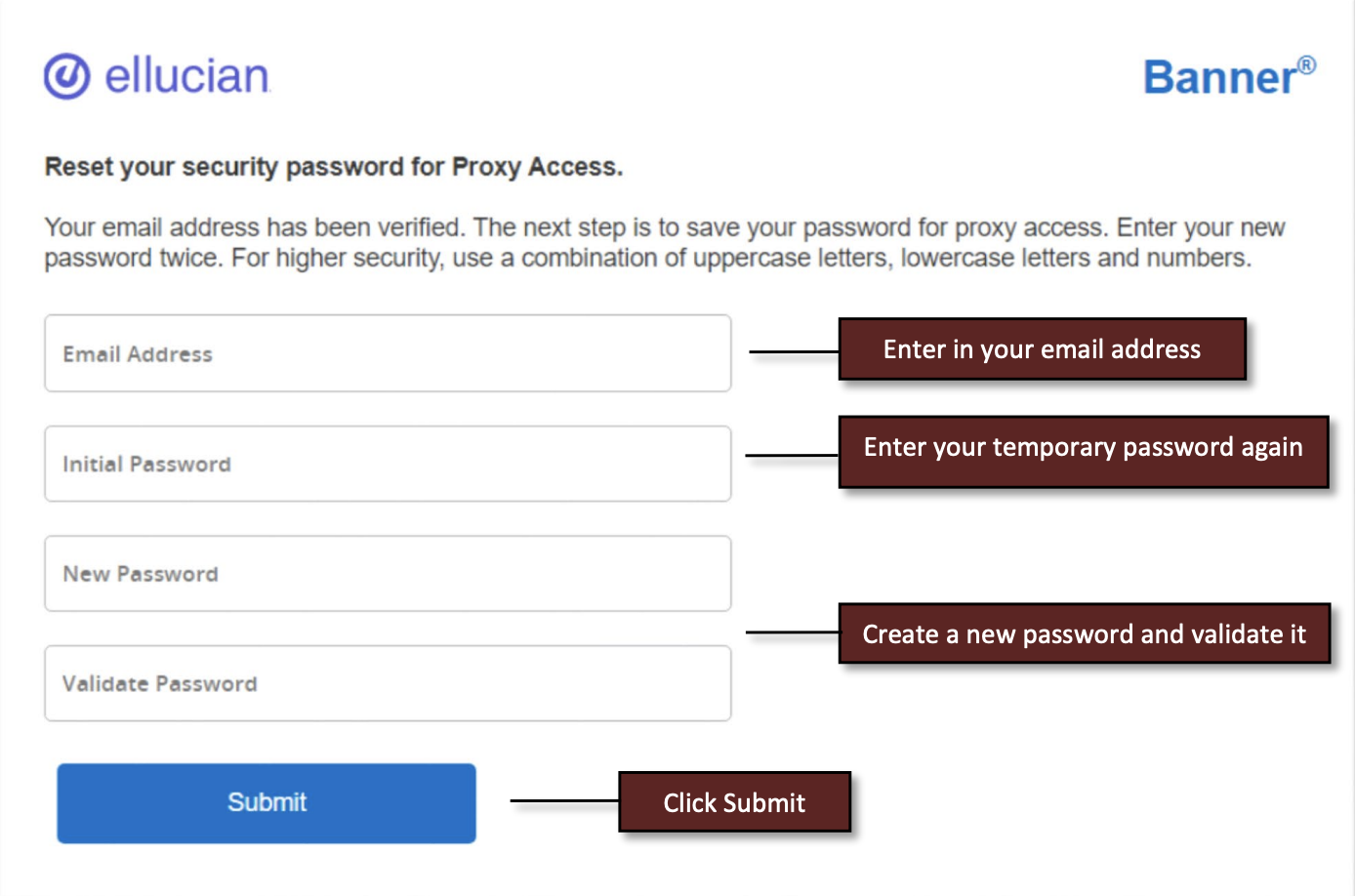
- Your UIndy Parent/Guardian Proxy account should now be claimed. Going forward you can access your UIndy Parent/Guardian Proxy account by using your username (email address) and the password you created while claiming your account.
Registrar
- Office of the Registrar
- Academic Petitions
- Drop/Add and Withdrawal
- Forms
- Request a Transcript
- Request a Duplicate Diploma
- Apostille Document Request
- Verification of Enrollment
- Updating Your Name
Courses & Curriculum
- Academic Calendars
- Academic Catalogs
- Curriculum Guides
- Articulation Agreements
- Course Schedules
- Final Exam Schedule
- Registration Information
- Spring Term
- Academic Alert and Ineligibility
- Accessing Registrar Services Online
- Credit by Examination
- Dean's List and Honor Roll
- DegreeWorks
- FERPA/Confidentiality of Student Records
- Grades/GPA
- Parent/Guardian Proxy
- Repeating a Course
- Special Course Registration
- Student Services Quick Guide
- Transfer Credit
- Waitlisting