Viewing or Modifying a Proxy Account
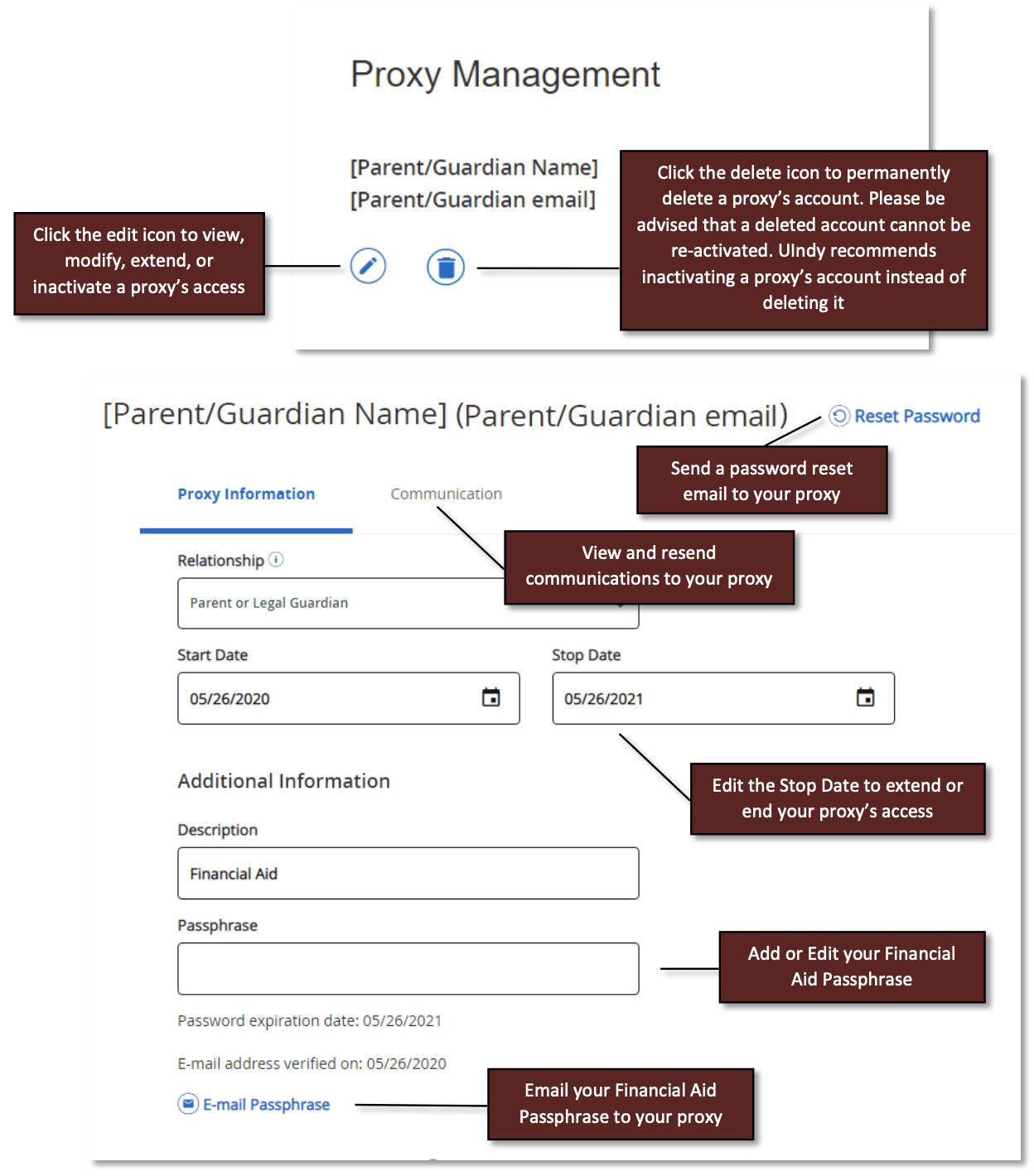
Proxy Management
- Click the edit icon to view, modify, extend, or inactive a proxy's access
- Click the delete icon to permanently delete a proxy's account. Please be advised that a deleted account cannot be re-activated. UIndy recommends inactivating a proxy's account instead of deleting it.
- Click the Reset Password link to send a password reset email to your proxy.
- Click the Communication tab to view and resend communications to your proxy.
- Edit the Stop Date to extend or end your proxy's access.
- You can also add or edit your Financial Aid Passphrase.
- Click the E-mail Passphrase link to email your Financial Aid Passphrase to your proxy.
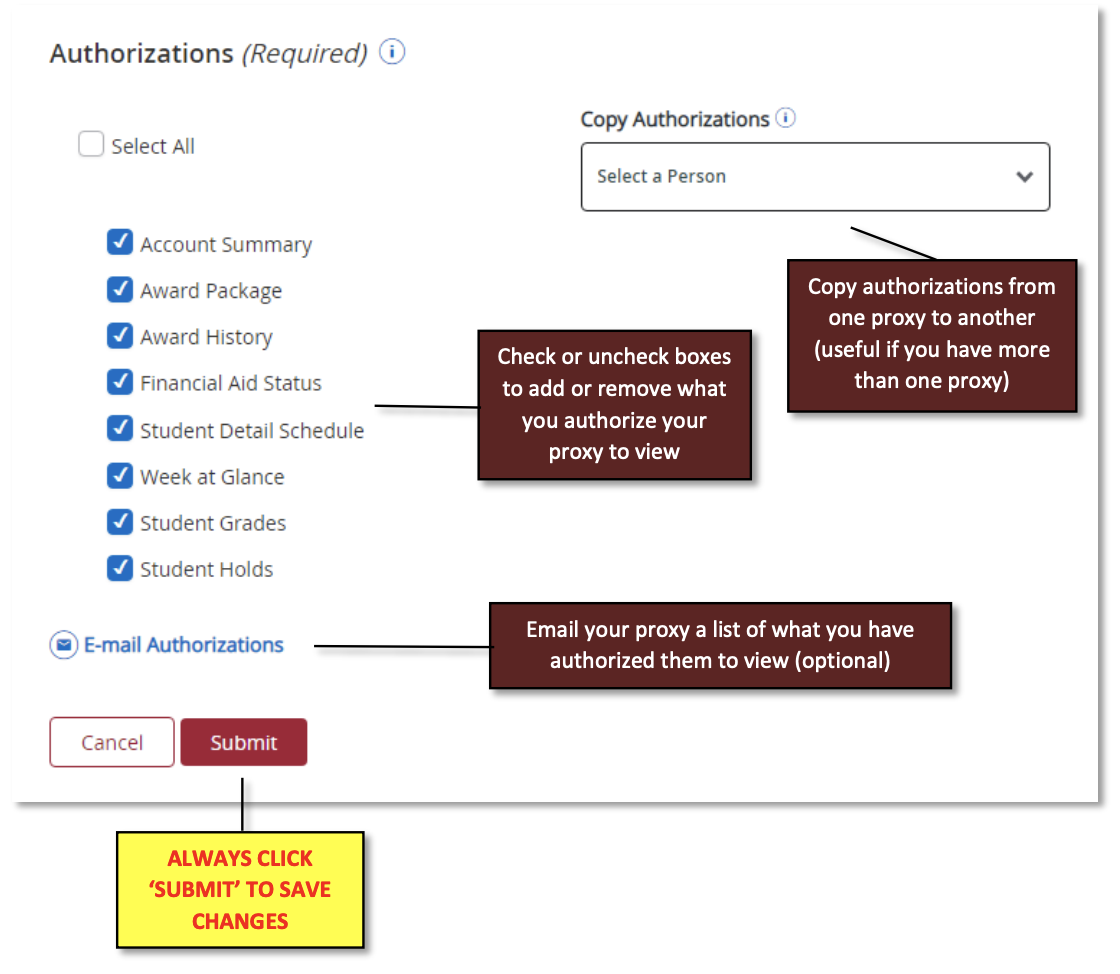
Authorizations
- Check or uncheck boxes to add or remove what you authorize your proxy to view.
- The Copy Authorization dropdown box copies authorizations from one proxy to another, which is useful if you have more than one proxy.
- Click E-mail Authorizations link to email your proxy a list of what you have authorized them to view (optional).